Uninstall apps and review leftover files
MintDisk lists your apps with the data they keep in your Library folder, so you can see what an app leaves behind and choose what goes with it.
Scanning is free. Cleaning and deleting are included in the free 7-day trial and in Pro.
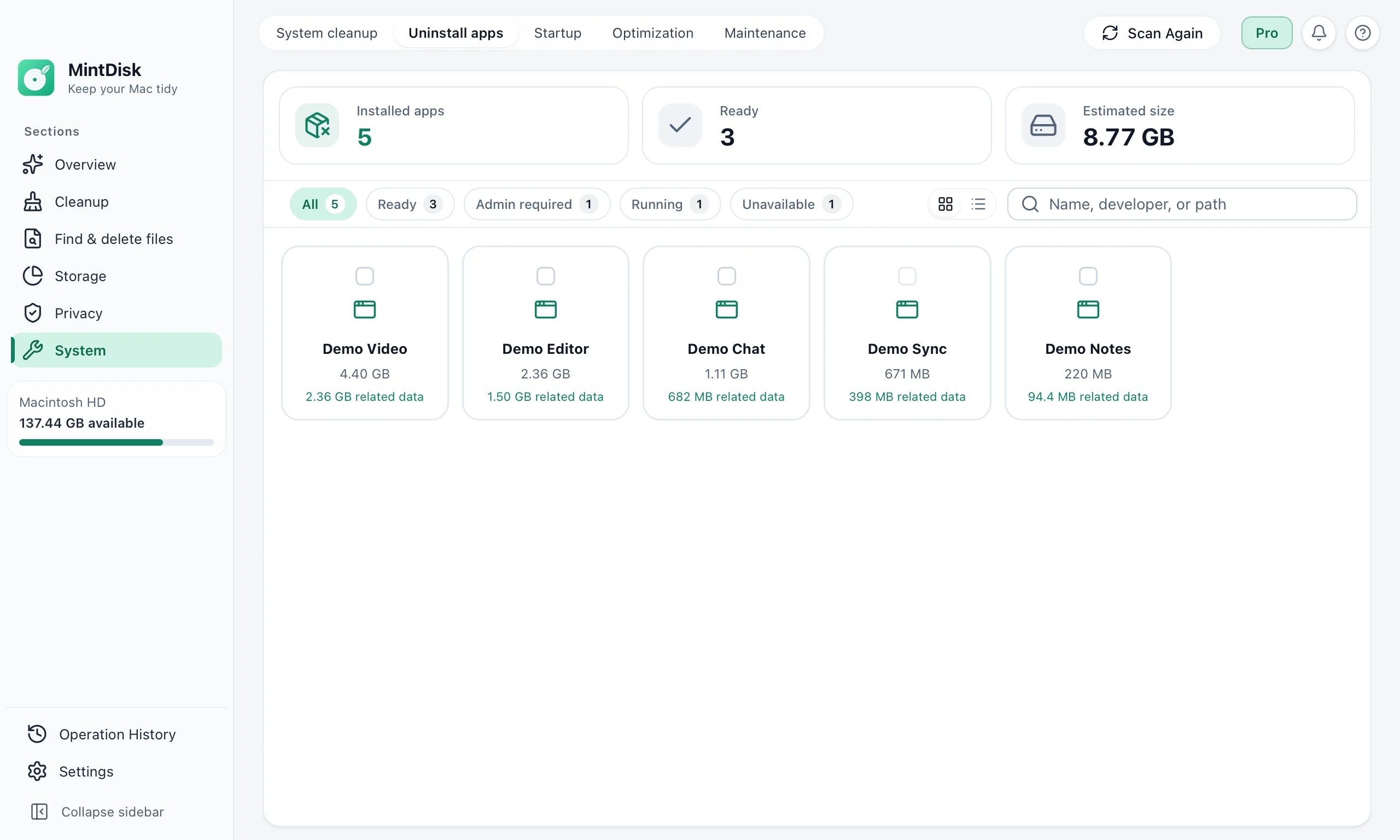
How the app uninstaller for Mac works
- 1
Scan your apps
MintDisk lists the apps in Applications and in your own Applications folder, with their size and when you last used them. Apple's system apps are protected.
- 2
Review the related data
For each app you see the caches, logs, saved state and settings stored under its bundle identifier. Caches and logs are selected; folders that may hold your own data, such as Application Support, are left for you to decide.
- 3
Uninstall
MintDisk moves the app and the data you selected to the Trash. If the app is open, you can quit it from MintDisk first.
When it helps
Apps you no longer use
Large apps you tried once still take space, and so do their caches.
A fresh start for an app
Remove an app together with its caches and saved state before you install it again.
Apps with large caches
Video, design and chat apps can keep gigabytes of cache next to the app itself.
Good to know
- Related data is found by the app's bundle identifier in your Library folder: Caches, Application Support, Preferences, Logs, Saved Application State, Containers, WebKit and HTTPStorages. Files an app keeps elsewhere or under another name are not listed.
- Apps that need administrator rights can't go to the Trash. While the Recovery area is on, MintDisk moves them there after the macOS password prompt; when it is off, they are deleted permanently.
- Apple's system apps and anything in /System are never removed.
Questions and answers
Does MintDisk uninstall apps completely?
It removes the app and the data it keeps under its bundle identifier in your Library folder, which you review first. Files an app stores elsewhere or under another name are not found, so MintDisk does not promise a complete removal.
Where do uninstalled apps go?
To the Trash by default. If you choose Delete permanently, the files wait in the Recovery area while your trial or license is active, for 30 days by default (1 to 90 days, set in History › Recovery area). Apps that need administrator rights go to the Recovery area after your Mac password, or are deleted permanently when it is off.
Will I lose my settings or documents?
Folders that may hold your own data, such as Application Support, Preferences and Containers, are not selected unless you tick them. Documents you keep elsewhere are not touched.
Is the app uninstaller free?
Scanning and reviewing apps and their data is free. Uninstalling needs the free 7-day trial or a Pro license.
Keep exploring
Try it on your Mac
MintDisk runs on macOS 12 or later, on Apple silicon and Intel Macs. Start the 7-day trial in the app, no card needed.