Review and clean supported privacy data
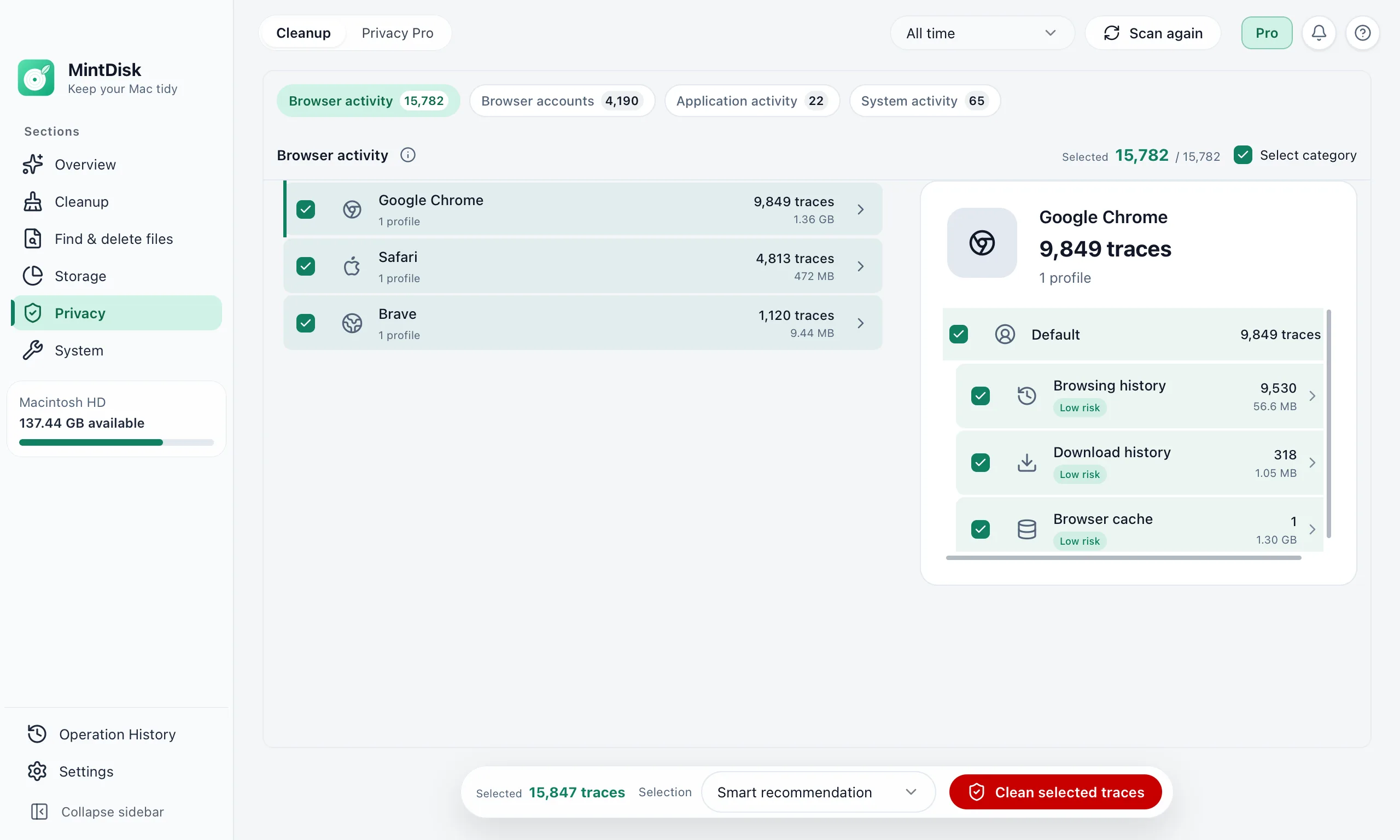
MintDisk finds the history, cookies, caches and recent-item lists that browsers, apps and macOS keep, and shows each one before anything is cleared.
Scanning is free. Cleaning and deleting are included in the free 7-day trial and in Pro.
How the Mac privacy cleaner works
- 1
Scan
A read-only scan checks supported browsers, apps and macOS lists, for all time or a recent time range.
- 2
Choose per browser and profile
Traces are grouped into browser activity, browser accounts, app activity and system activity. Recommended items are pre-selected; cookies and site data are left for you, and saved passwords and autofill are never pre-selected.
- 3
Clear
Confirm, and MintDisk clears the selected traces. Browsers that are still open can be quit first, or they are skipped.
When it helps
Clear browser data on a Mac
History, download lists, caches and sessions of Chrome, Edge, Brave, Firefox, Opera, Vivaldi and other browsers, profile by profile.
Recent files lists
Recent-document lists in apps such as Preview, Pages, Microsoft Word and Visual Studio Code, plus Recent Items and shell history in macOS.
Cleanup on a schedule
Privacy Pro can clear the traces you choose when a browser closes, or daily or weekly, without closing your browser.
Good to know
- Clearing is permanent: traces do not go to the Trash and cannot be restored.
- For Safari, MintDisk covers history, the last session and caches. Safari cookies and website data are not cleared, and reading Safari data needs Full Disk Access.
- Clearing cookies signs you out of websites, so cookies are never pre-selected. Saved passwords and autofill are cleared only if you select them.
- MintDisk clears local traces on this Mac only. It does not hide your activity online or change what websites and accounts keep.
Questions and answers
Which browsers are supported?
Chrome, Edge, Brave, Opera, Vivaldi, Chromium, Yandex, 360 Safe Browser, QQ Browser and Firefox, plus Safari for history, the last session and caches.
Will I be signed out of websites?
Only if you clear cookies and sign-in state. That kind is never selected for you; tick it yourself if you want to sign out.
Can I undo a privacy cleanup?
No. Cleared traces are deleted permanently, which is why MintDisk lists every kind and asks you to confirm before it cleans.
Is privacy cleanup free?
Scanning and reviewing traces is free. Clearing them, and Privacy Pro's scheduled cleanup, need the free 7-day trial or a Pro license.
Keep exploring
Try it on your Mac
MintDisk runs on macOS 12 or later, on Apple silicon and Intel Macs. Start the 7-day trial in the app, no card needed.