Disk cleanup, storage analysis & privacy protection
Reclaim your Mac disk space Safely and transparently
MintDisk is a Mac disk cleaner for system and app caches, developer build artifacts, container leftovers and duplicate files. Scans are read-only, and nothing is removed until you confirm.
Lifetime license · No subscriptions · Built for macOS
Watch MintDisk in 45 seconds
Gigabytes of stale build artifacts, hidden caches, and duplicate files. MintDisk finds and cleans them safely.
Built for data safety and real reclaimable space
Every cleanup goes through preflight checks and honors protected paths. Files you delete go to the Trash by default; caches are cleared only after you confirm the plan.
Deep Cleanup
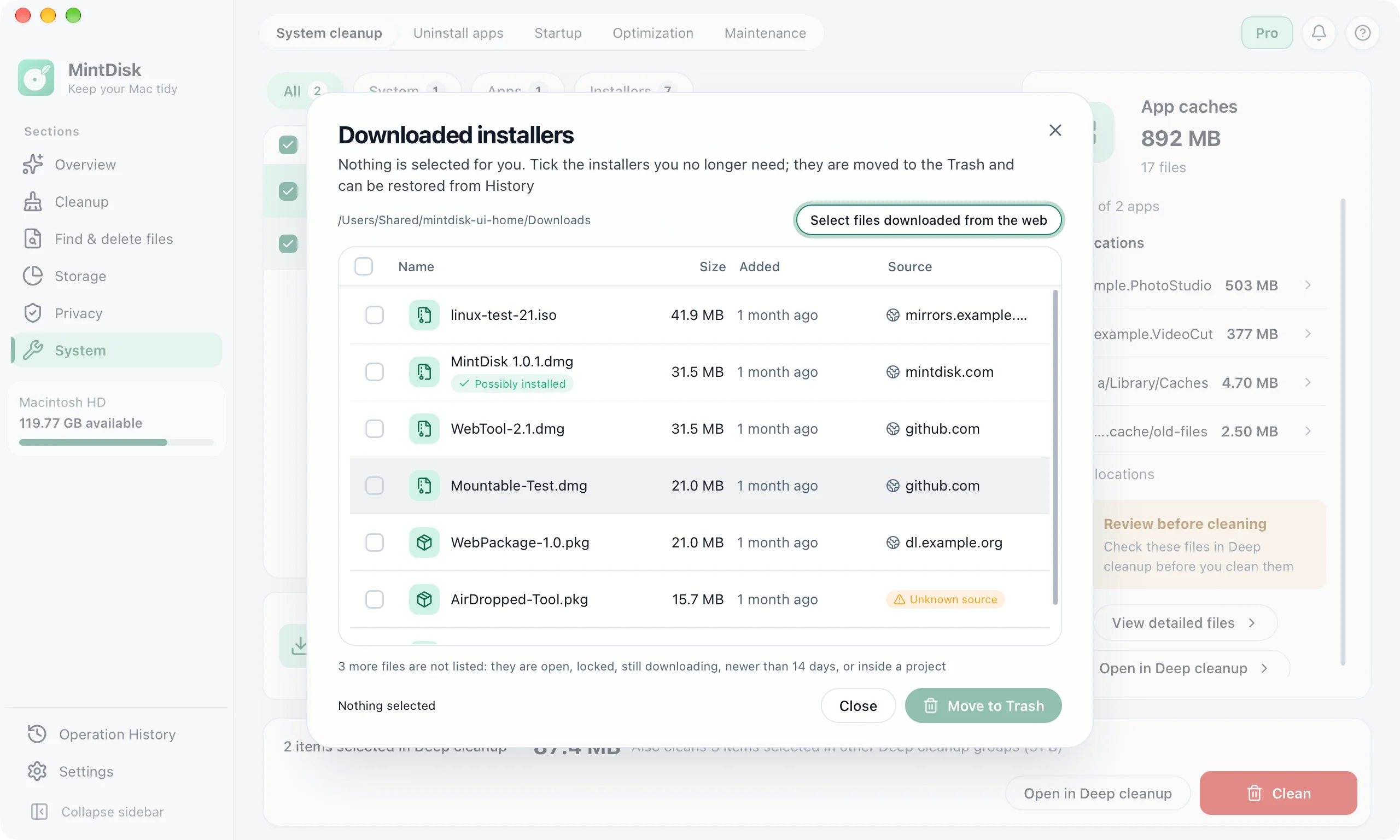
One scan across system and app caches, logs, developer tools (Node.js, Rust, Xcode), Docker containers, local AI model caches (Ollama, Hugging Face) and old installers in Downloads. View detailed files shows exact paths and sizes before cleaning, with folder skip exclusions on supported locations.
Disk Space Treemap
Interactive visual treemap and folder breakdown to discover where your storage actually went.
Disk space analyzer for MacLarge Files & Old Installers
Quickly spot old installers, videos, and archives. Moved to the Trash on macOS local volumes by default. Old installers in ~/Downloads (>14 days) are listed in Deep Cleanup with their source website.
Find large files on MacDuplicate File Finder
Content-based exact duplicate detection via SHA-256 hash. Always keeps at least one copy in each group.
Find duplicate files on MacPrivacy & Application Cleanup
Wipe browser trails, caches, clipboard data, and uninstall apps. Administrator applications requiring elevated privileges feature safe Finder Trash put-back guidance and tailored reinstall notes in History.
Mac privacy cleanerData safety ahead of reclaiming more space
We designed MintDisk so you never have to worry about accidental file loss or aggressive, opaque cleaners.
Read safety architecture →Read-Only Scans Default
Scans never delete or change anything without explicit confirmation.
Trash-First on macOS
Deleted items move to the Trash first on macOS local volumes so you can restore them anytime.
Preflight & Changed-File Protection
Strict protection of system directories and link policies. Files modified after scanning are left untouched to prevent data loss.
Complete Operation History
Full audit log with exact reclaimable sizes, exportable to CSV or JSON.
Reclaim space from your everyday tools
MintDisk recognizes project build caches and temporary developer files across major ecosystems.


A Mac disk cleaner that asks before it removes anything
Read-only scans
A scan only reads. Nothing on your disk changes while MintDisk measures it.
Nothing removed until you confirm
You see every item and its size first, then choose what to clean.
Your files stay on your Mac
Scans and cleanups run on your Mac. Your files are never uploaded.
Choose your MintDisk plan
Try every feature free for 7 days. After the trial, Pro or Pro Plus is required to clean and delete; scanning and restoring files from the recovery area stay available.
Download MintDisk and start the trial in the app, no credit card. After the trial it still scans your disk and you can still restore files from the recovery area, but cleaning and deleting need Pro.
Download and start the trialNo credit card required · macOS
Unrestricted cleanup, undo through the Recovery area, and developer tools.
- Every cleaning and deleting tool, no limits
- Unrestricted Deep Cleanup & custom selections
- Unlimited Large Files & Duplicate detection
- Optional Recovery area (30 days by default)
- Developer Pack (Node, Rust, Xcode, Docker)
- Scheduled automated background scans
- Similar photo & video detector (perceptual hash)
For power users and teams with multiple workstations and laptops.
- Everything in Pro
- Up to 10 machine activations
- Rename and deactivate devices from your account
Compare Plans & Capabilities
See exactly what each tier includes before you decide.
| Feature | MintDisk Pro ($9.90) | MintDisk Pro+ ($26.90) |
|---|---|---|
| Supported devices | 3 devices | 10 devices |
| Manual on-demand scans | ||
| Deep Cleanup coverage | Unrestricted | Unrestricted |
| Interactive disk treemap | ||
| Large file cleaner | Unlimited | Unlimited |
| Exact duplicate finder | Unlimited | Unlimited |
| Browser & privacy cleanup | ||
| Application uninstaller | Unlimited | Unlimited |
| Operation history | 1 year | 1 year |
| Resource monitor & memory release | ||
| Optional Recovery area (30 days by default) | ||
| Scheduled background cleanups | ||
| Similar photo & video detector | ||
| Developer Pack & AI Model Manager | ||
| Manage devices from your account |
After the 7-day trial MintDisk still scans, shows results and lets you restore files from the recovery area. Everything that cleans or deletes needs Pro.
Have an access code from a partner, event or student program? Redeem it →
Mac storage guides
Step-by-step guides to free up space with the tools your Mac already has.
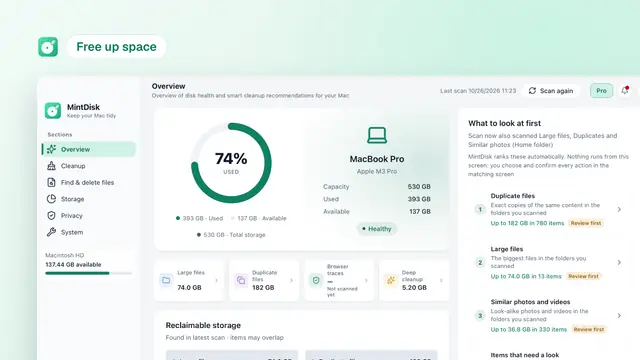 How to Free Up Disk Space on Your MacFree up disk space on your Mac with the tools macOS already has: Storage settings, the Trash, Downloads, old device backups and large files, step by step.
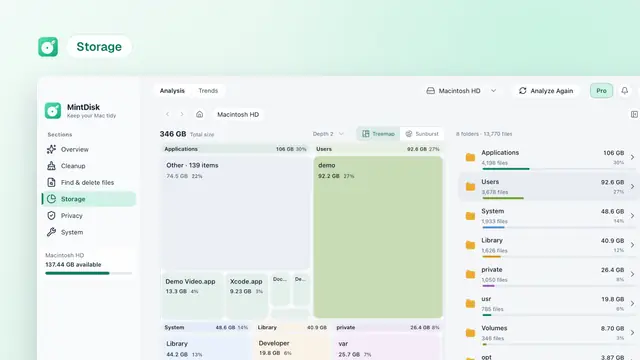 How to Find What's Taking Up Space on Your MacFind what is taking up space on your Mac with Storage settings, Finder and Terminal, and learn what the categories, System Data and purgeable space mean.
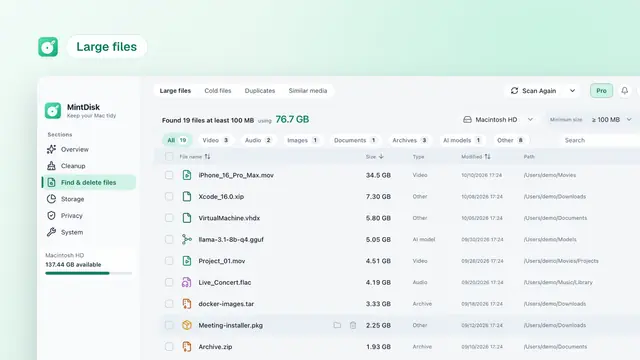 How to Find Large Files on Your MacFind large files on your Mac with Storage settings, Finder search, Smart Folders and Terminal, then decide safely what to move, archive or delete.
Frequently Asked Questions
Start reclaiming your disk space today
Available for macOS · 14-day money-back guarantee