Explore MintDisk features
Every tool starts with a read-only scan, shows what it found and why, and asks before anything is removed.
Disk space analyzer
See which folders fill your disk in a treemap or sunburst chart, and open them level by level.
Disk space analyzer for MacLarge file finder
List the biggest files on a disk or in chosen folders, filtered by type and sorted by size.
Find large files on MacDuplicate file finder
Find exact copies by content, keep one of each, and move the extras to the Trash.
Find duplicate files on MacDeep cleanup
Clear caches, old logs and temporary files that macOS and your apps can rebuild.
Clean Mac cachesDeveloper cleanup
Free space from inactive projects, Xcode simulators, Docker images and local AI models, and see how each one comes back.
Developer disk cleanup for MacApp uninstaller
Remove apps together with their caches, logs and settings, after you check what goes with them.
App uninstaller for MacPrivacy cleanup
Clear browser history, cookies, caches and recent-item lists, browser by browser and profile by profile.
Mac privacy cleanerStartup manager
See what starts with your Mac, turn items off and remove broken ones.
Mac startup manager
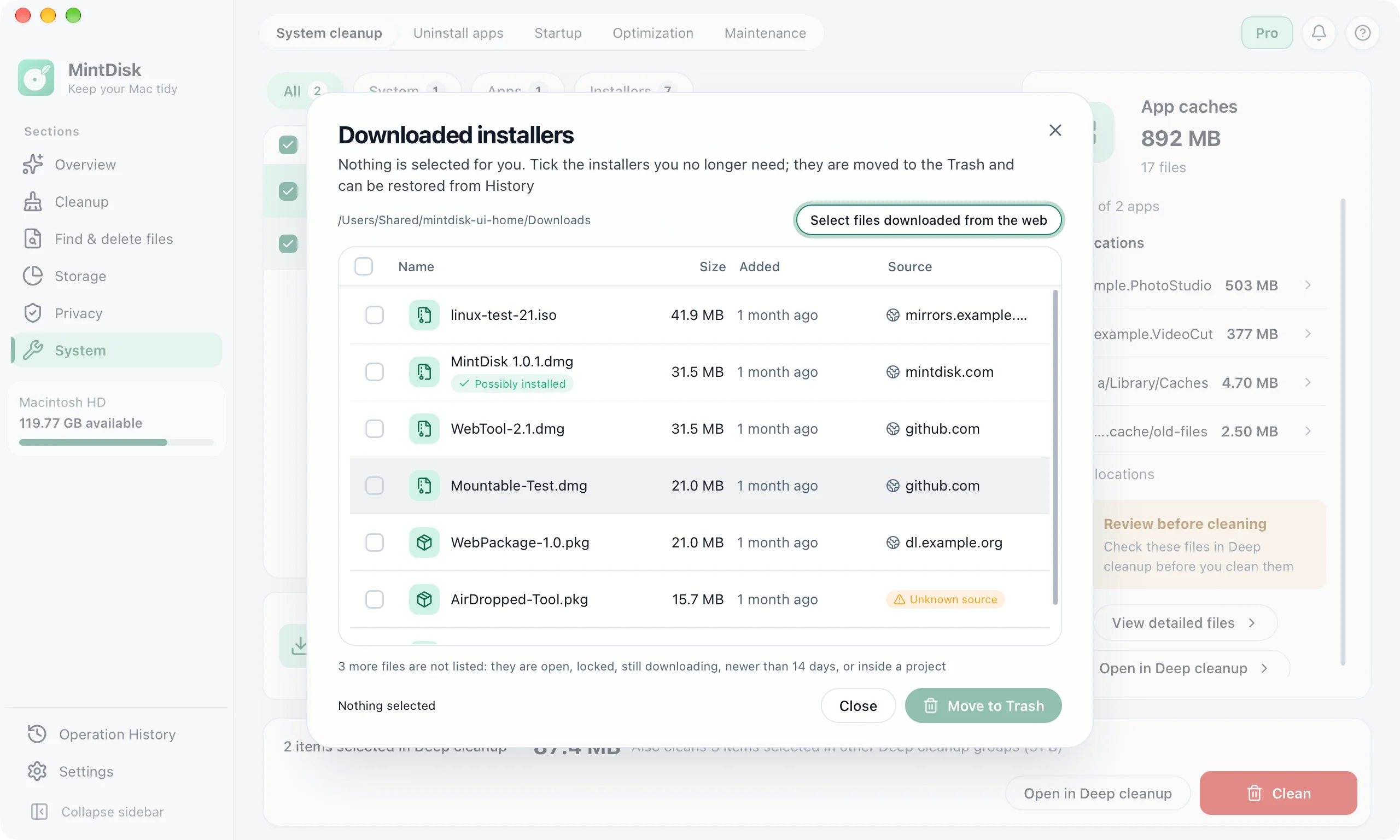
Mac disk cleanup software that asks first
A Mac storage cleaner should never surprise you. This is what happens to what you remove.
Scans are read-only
Scanning never changes a file. Each result shows its size, location and what it is before you choose.
Your files go to the Trash first
Files you delete from Analysis, Large files and Duplicates go to the Trash by default. Deleting permanently needs a second confirmation, and the Recovery area can keep those files for 30 days.
Caches are cleared for good
Deep cleanup deletes caches and logs permanently, because macOS and your apps rebuild them. You confirm the plan first, and only items rated safe are pre-selected.
Also in the app
Similar photos and videos
Group look-alike photos and videos; MintDisk suggests which copy to keep.
Cold files
Find large files you have not opened for months, then compress, move or delete them.
What is free and what needs Pro
Scanning, the disk analyzer, viewing results and restoring files from the Recovery area are free, also after the trial. Cleaning, deleting and uninstalling need the free 7-day trial or a Pro license.