Find what's taking up space on your Mac
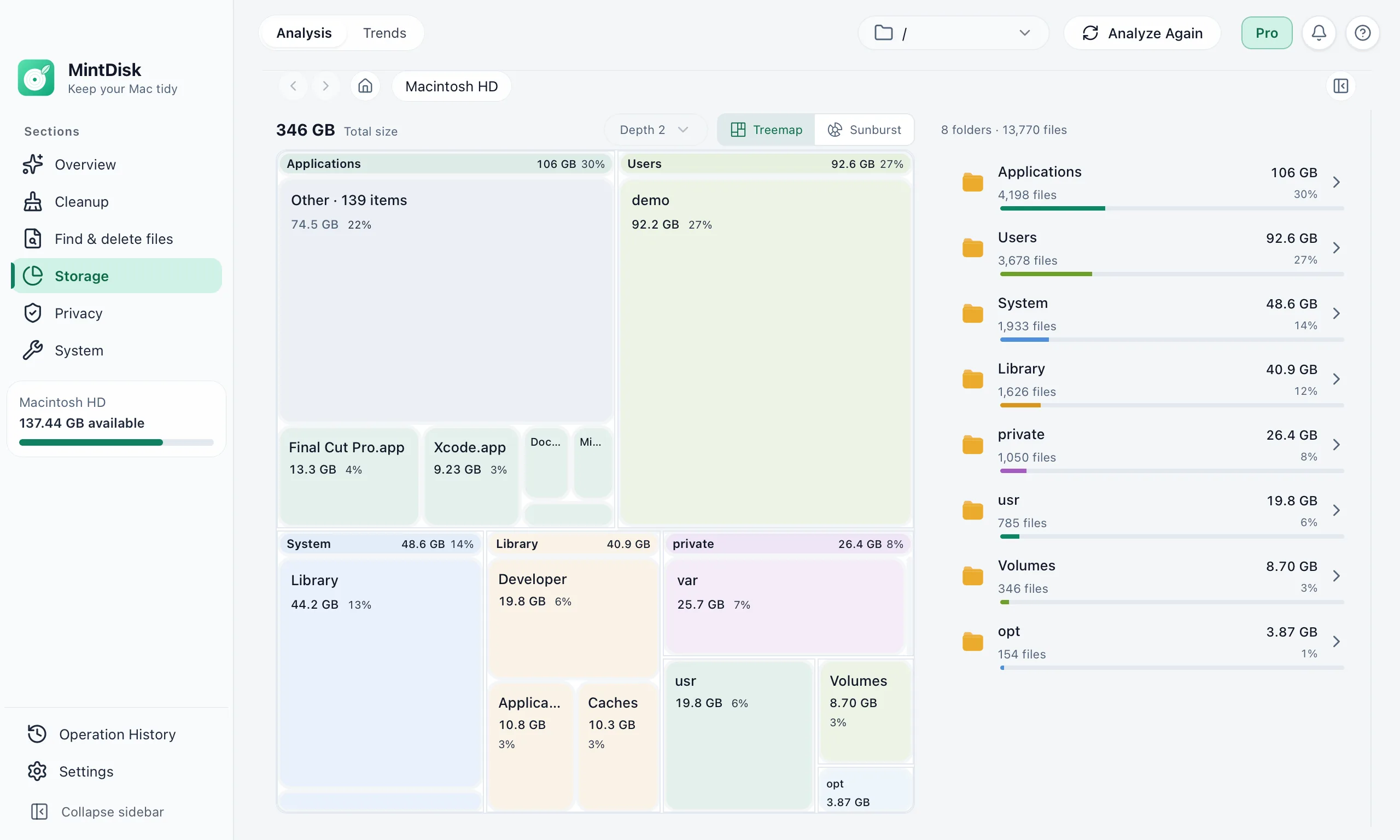
MintDisk is a Mac storage analyzer that maps a disk or a folder by the space files really use, so the biggest folders stand out and you can open them level by level.
Scanning is free. Cleaning and deleting are included in the free 7-day trial and in Pro.
How the disk space analyzer for Mac works
- 1
Choose what to scan
Pick Macintosh HD, an external APFS or USB drive, or any folder such as Downloads or Documents.
- 2
Read the chart
Switch between a treemap and a sunburst chart, up to six levels deep. The list beside it shows each folder's size, share and file count.
- 3
Act on what you find
Open a folder to analyze it, preview a file with Quick Look, show it in Finder, or move an item to the Trash.
When it helps
Your disk is almost full
Find the folders behind the warning before you delete anything.
An external drive fills up
See what takes the space on a USB or APFS drive connected to your Mac.
Space disappears over time
Compare folders by size and spot the one that keeps growing, such as Library or a project folder.
Good to know
- Network shares are not listed as disks to scan.
- Each folder shows its 500 largest items. The rest are grouped under Other, which you can still browse.
- Sizes are the space files use on the disk, and hard-linked files are counted once, so totals can differ from Finder.
- Without Full Disk Access, macOS hides some folders, such as Mail, Messages and Safari data, from the scan.
Questions and answers
Is the disk space analyzer free?
Yes. Scanning and viewing the results stay free, also after the trial. Deleting files needs the free 7-day trial or a Pro license.
Does MintDisk need Full Disk Access?
No. It scans without it, but some folders protected by macOS are then left out. You can grant Full Disk Access in System Settings at any time; MintDisk notices it without a restart.
Why does MintDisk show a different size than Finder?
MintDisk counts the space files really take on the disk and counts hard-linked files only once. Finder often shows the file size instead, so the numbers can differ.
Can I delete files from the chart?
Yes, one item at a time. It goes to the Trash by default. Deleting permanently needs a second confirmation, and every deletion is listed in History.
Is anything about my files uploaded?
No. The scan runs on your Mac. Details about a file are sent only if you ask for an AI explanation of that item.
Keep exploring
Try it on your Mac
MintDisk runs on macOS 12 or later, on Apple silicon and Intel Macs. Start the 7-day trial in the app, no card needed.