Find duplicate files on your Mac
MintDisk is a duplicate file cleaner that compares file contents, so renamed copies are found too, and it always keeps at least one copy of every file.
Scanning is free. Cleaning and deleting are included in the free 7-day trial and in Pro.
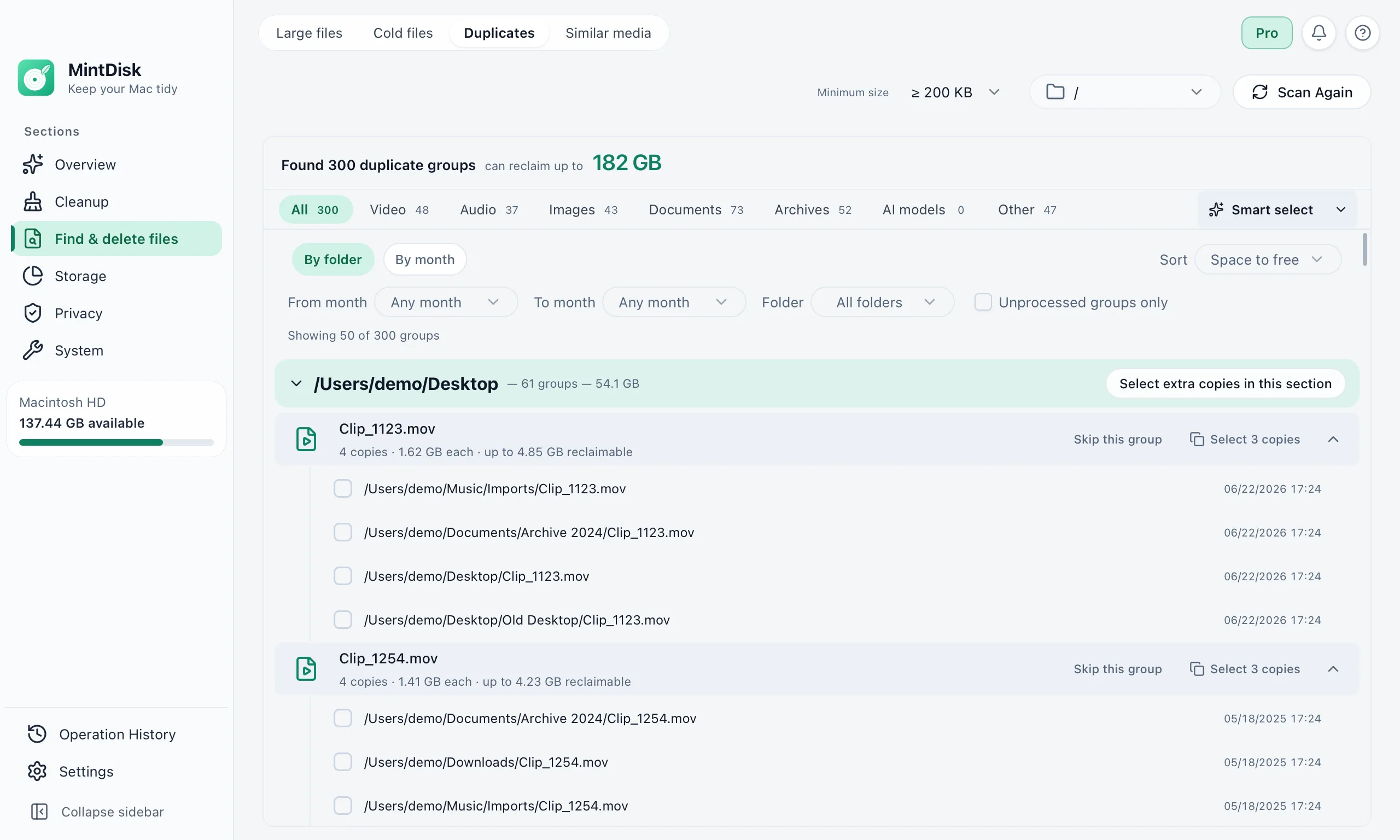
How the duplicate file finder for Mac works
- 1
Pick folders and a minimum size
Scan a disk or chosen folders. Files from 200 KB up are compared by default; you can raise the limit to 1 MB, 10 MB, 100 MB or 500 MB.
- 2
MintDisk confirms each match
Files of the same size are compared by a hash of their full content. Hard links to one file are not counted as duplicates, and identical folders are shown too.
- 3
Choose which copies to remove
Smart select keeps the copy with the shortest path, the shortest name, or the oldest or newest date. Copies inside apps, projects or your Library are never selected for you.
When it helps
Photos and videos imported twice
The same clip in Movies, on the Desktop and in an old import folder.
Downloads saved more than once
Files downloaded again and renamed with a number.
Copied backups
Folders copied to the Desktop or Documents and then forgotten.
Good to know
- Only exact copies are found. Edited or resized versions are not duplicates; for look-alike photos and videos, use Similar media in the app.
- The minimum size is chosen from presets.
- Similar media does not read HEIC or RAW photos yet, and needs ffmpeg installed on your Mac to compare videos.
Questions and answers
How does MintDisk know two files are the same?
It groups files by size, then compares a hash of their full content (BLAKE3). Two files are shown as duplicates only when their contents match, whatever their names.
Can I delete every copy by mistake?
No. Each group must keep at least one file, folders you mark as protected are never deleted, and files that changed after the scan are skipped.
Where do removed duplicates go?
To the Trash by default. Deleting permanently asks again and, while your trial or license is active, keeps a copy in the Recovery area for 30 days.
Is the duplicate finder free?
Scanning and reviewing duplicates are free. Removing them needs the free 7-day trial or a Pro license.
Keep exploring
Try it on your Mac
MintDisk runs on macOS 12 or later, on Apple silicon and Intel Macs. Start the 7-day trial in the app, no card needed.