Manage startup items on your Mac
MintDisk lists the apps and background items that start when you sign in, shows what kind each one is, and lets you turn it off.
Scanning is free. Cleaning and deleting are included in the free 7-day trial and in Pro.
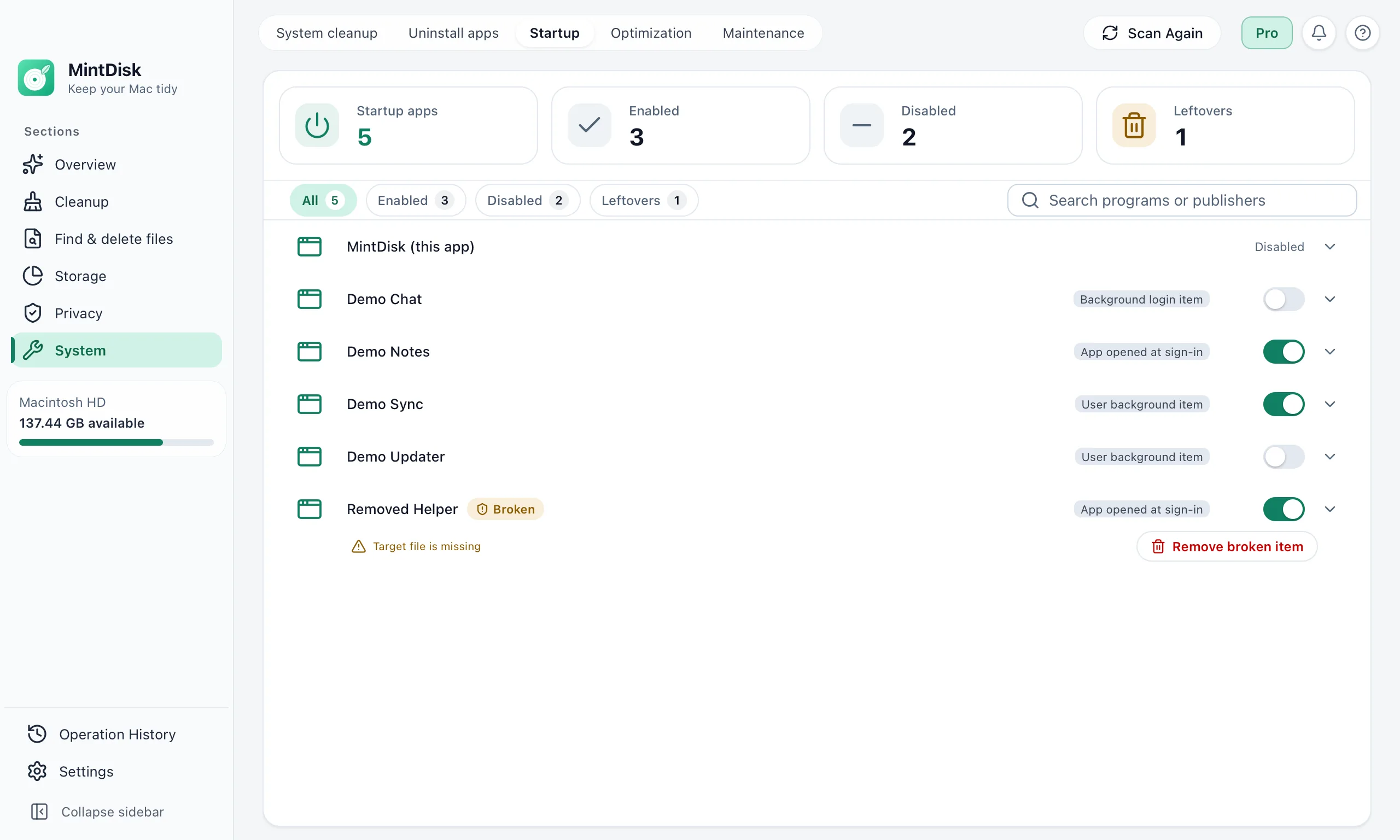
How the Mac startup manager works
- 1
Scan
MintDisk reads login items, background items, and launch agents and daemons from your Library and the system Library.
- 2
Review
Each item shows its kind, such as an app opened at sign-in or a user background item, and whether it is on. Items whose app is gone are flagged as broken.
- 3
Turn off or remove
Switch an item off, and back on, at any time. Remove a launch agent's settings file or a broken item; the app itself stays.
When it helps
Manage startup apps on a Mac
Apps that open at sign-in although you do not need them right away.
Background helpers and updaters
Updaters and sync helpers that run in the background through launch agents.
Leftovers of removed apps
Background items whose app was deleted show as broken and can be removed.
Good to know
- Items for all users, in /Library/LaunchAgents and /Library/LaunchDaemons, need your administrator password to change.
- Apple's system items and helpers inside an app are shown for information only.
- An ordinary login item can be turned off, not deleted. Background records can be removed only when their app is missing.
- MintDisk does not measure startup time: it shows what starts with your Mac, not how much faster it will start.
Questions and answers
What is the difference between a login item and a launch agent?
A login item is an app that opens when you sign in. A launch agent or daemon is a small settings file that tells macOS to run a helper in the background. MintDisk lists both.
Is it safe to turn a startup item off?
Turning an item off deletes nothing, and you can switch it back on. Some apps may stop syncing or updating in the background while it is off.
Does removing a startup item uninstall the app?
No. Only the startup setting is deleted; the app's files stay. To remove an app, use the app uninstaller.
Is the startup manager free?
Scanning and viewing startup items is free. Changing or removing them needs the free 7-day trial or a Pro license.
Keep exploring
Try it on your Mac
MintDisk runs on macOS 12 or later, on Apple silicon and Intel Macs. Start the 7-day trial in the app, no card needed.