Manage Docker-related disk usage on Mac
MintDisk shows how much space Docker's dangling images, stopped containers and build cache take, and removes them with Docker's own prune commands.
Scanning is free. Cleaning and deleting are included in the free 7-day trial and in Pro.
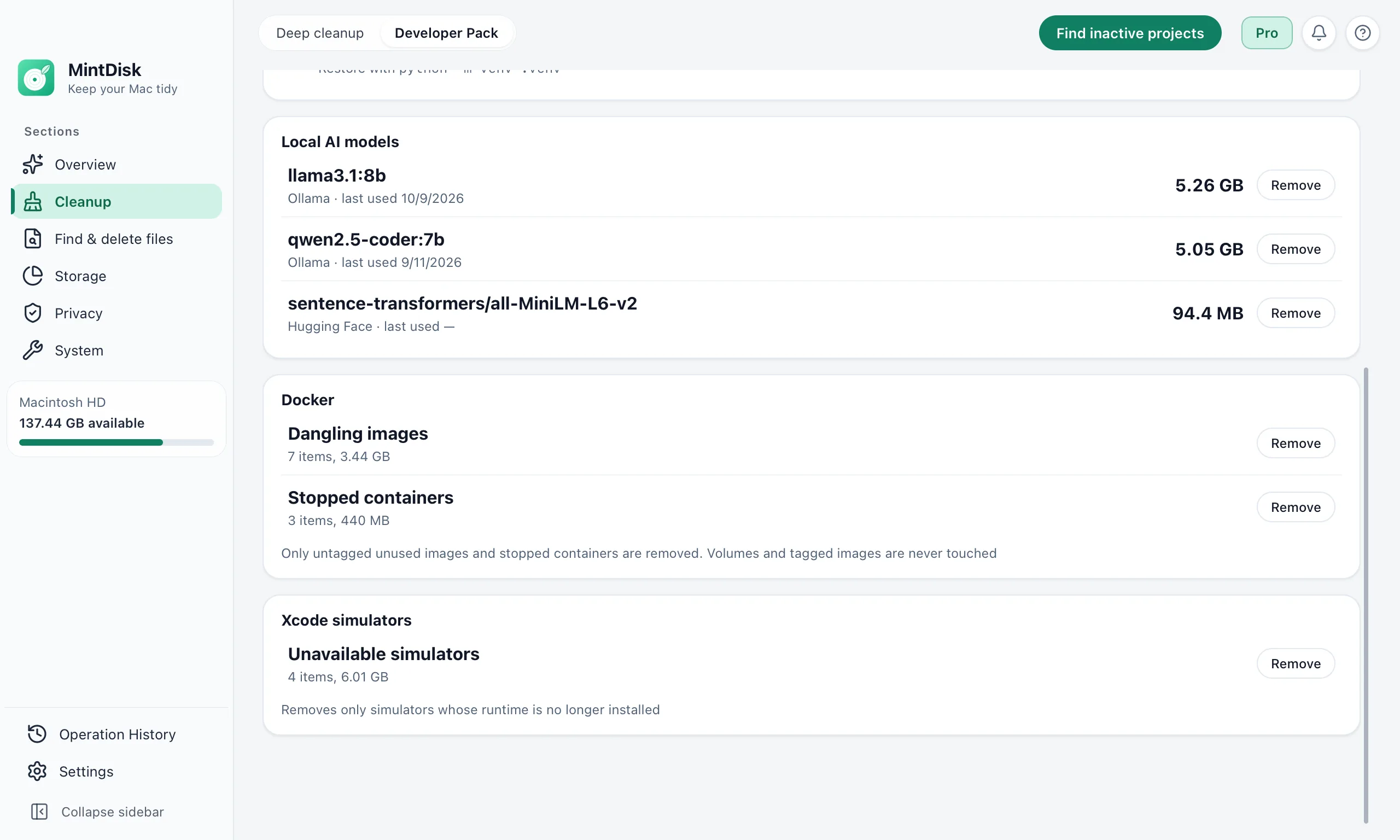
How Docker disk cleanup on Mac works
- 1
Check Docker
Developer Pack asks Docker for its disk usage and lists dangling images (untagged and used by no container) and stopped containers, with their size.
- 2
Add the build cache
Deep cleanup lists Docker's unused build cache, which you select yourself, and Docker Desktop logs older than 7 days.
- 3
Remove
MintDisk runs Docker's image prune, container prune or builder prune for you. Volumes and tagged images are never touched.
When it helps
Images left after rebuilds
A rebuild can leave an untagged image behind, and those images add up to gigabytes.
Containers you stopped long ago
Stopped containers keep their data until they are removed.
Docker build cache cleanup
Docker keeps cache from earlier builds. Unused cache can be cleared, and Docker builds it again when needed.
Good to know
- Removal is permanent: pruned images, containers and build cache do not go to the Trash.
- The docker command must be available to MintDisk and Docker must be running; otherwise MintDisk shows that Docker was not found or is not running.
- Build cache cleanup runs docker builder prune --all, which removes all unused build cache, so the next build can take longer.
- Volumes, tagged images and running containers are never removed.
Questions and answers
What does MintDisk remove from Docker?
Dangling images, stopped containers and, if you select it in Deep cleanup, unused build cache. It uses Docker's own prune commands.
Are my volumes safe?
Yes. Volumes and tagged images are never touched.
Does it work with Docker Desktop?
Yes, as long as the docker command is available and Docker is running. MintDisk uses the default Docker context.
Is Docker cleanup free?
Scanning is free. Removing needs the free 7-day trial or a Pro license.
Keep exploring
Try it on your Mac
MintDisk runs on macOS 12 or later, on Apple silicon and Intel Macs. Start the 7-day trial in the app, no card needed.