Clean up Xcode DerivedData safely
MintDisk finds Xcode's DerivedData, device support files and simulator data, explains what each one is, and removes only what you select.
Scanning is free. Cleaning and deleting are included in the free 7-day trial and in Pro.
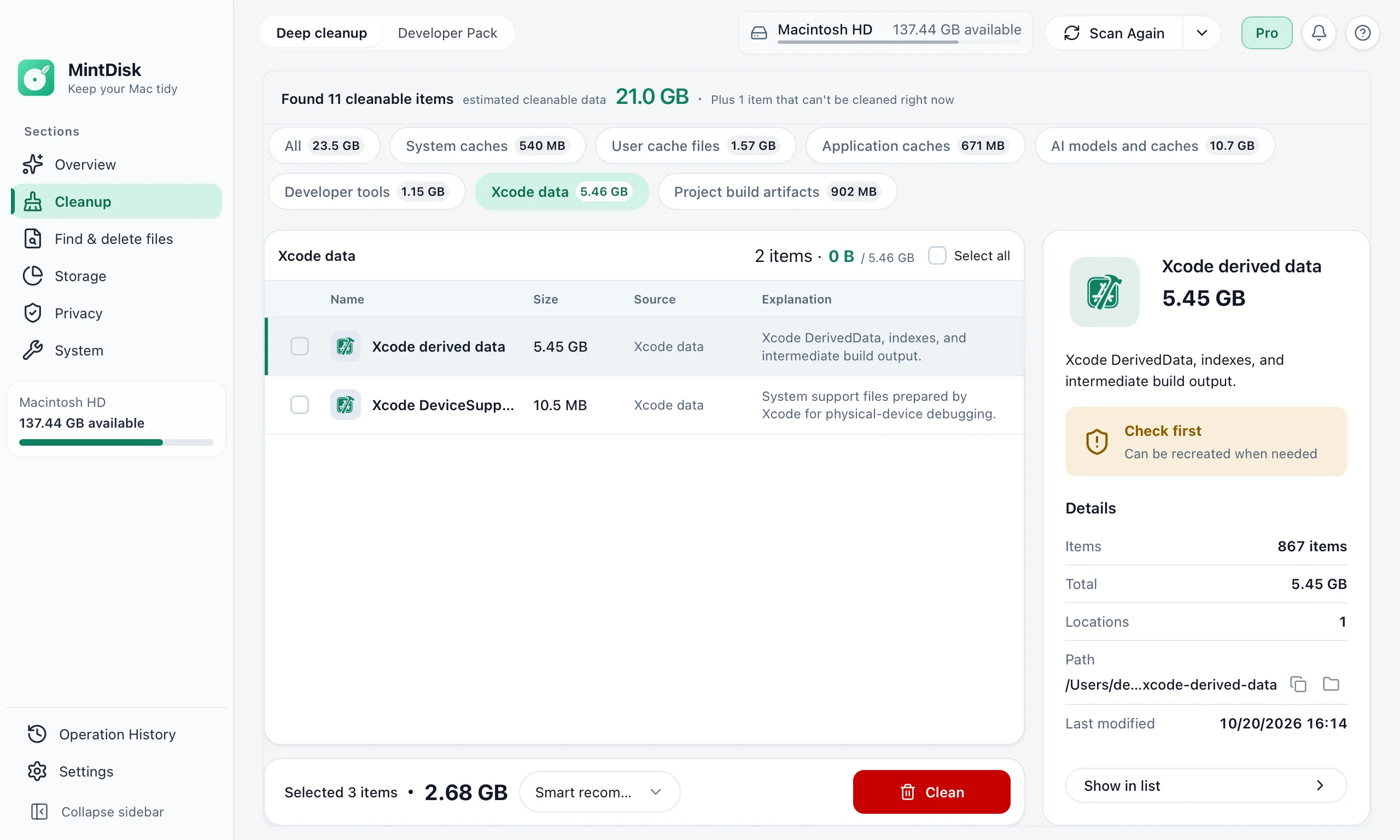
How to clean Xcode DerivedData with MintDisk
- 1
Scan
Deep cleanup measures DerivedData, documentation caches and old device logs, simulator caches, DeviceSupport folders and simulator runtimes.
- 2
Choose
Xcode items are marked Check first and are not selected for you. For DeviceSupport you pick the versions to remove; Archives are shown for review only.
- 3
Clean
Quit Xcode, confirm the plan, and MintDisk deletes the selected items. Developer Pack also removes simulators whose runtime is no longer installed.
When it helps
DerivedData that keeps growing
Build products and indexes of every project you have opened, including projects you deleted.
Device support for old iOS versions
Each device you connect for debugging can add a DeviceSupport folder for its system version.
Simulators you no longer use
Simulator caches, simulator runtimes and simulators whose runtime is gone.
Good to know
- Cleaned Xcode data is deleted permanently, not moved to the Trash.
- Xcode must be closed. The next build after cleaning DerivedData is a full build and takes longer.
- Archives in ~/Library/Developer/Xcode/Archives are listed for review only and are never cleaned.
- DerivedData is measured in its default location, ~/Library/Developer/Xcode/DerivedData.
Questions and answers
Is it safe to delete DerivedData?
Xcode recreates it: it holds build products, indexes and logs, not your source code or project settings. Expect the next build and indexing to take longer.
Where is DerivedData on a Mac?
By default in ~/Library/Developer/Xcode/DerivedData. MintDisk measures that folder.
Does MintDisk delete my archives?
No. Archives are shown so you can see their size, but they are never added to a cleanup.
Is Xcode cleanup free?
Scanning is free. Removing needs the free 7-day trial or a Pro license.
Keep exploring
Try it on your Mac
MintDisk runs on macOS 12 or later, on Apple silicon and Intel Macs. Start the 7-day trial in the app, no card needed.