Manage Hugging Face model cache
MintDisk lists the models in your Hugging Face hub cache, one entry per model repository, with their size and when they were last used.
Scanning is free. Cleaning and deleting are included in the free 7-day trial and in Pro.
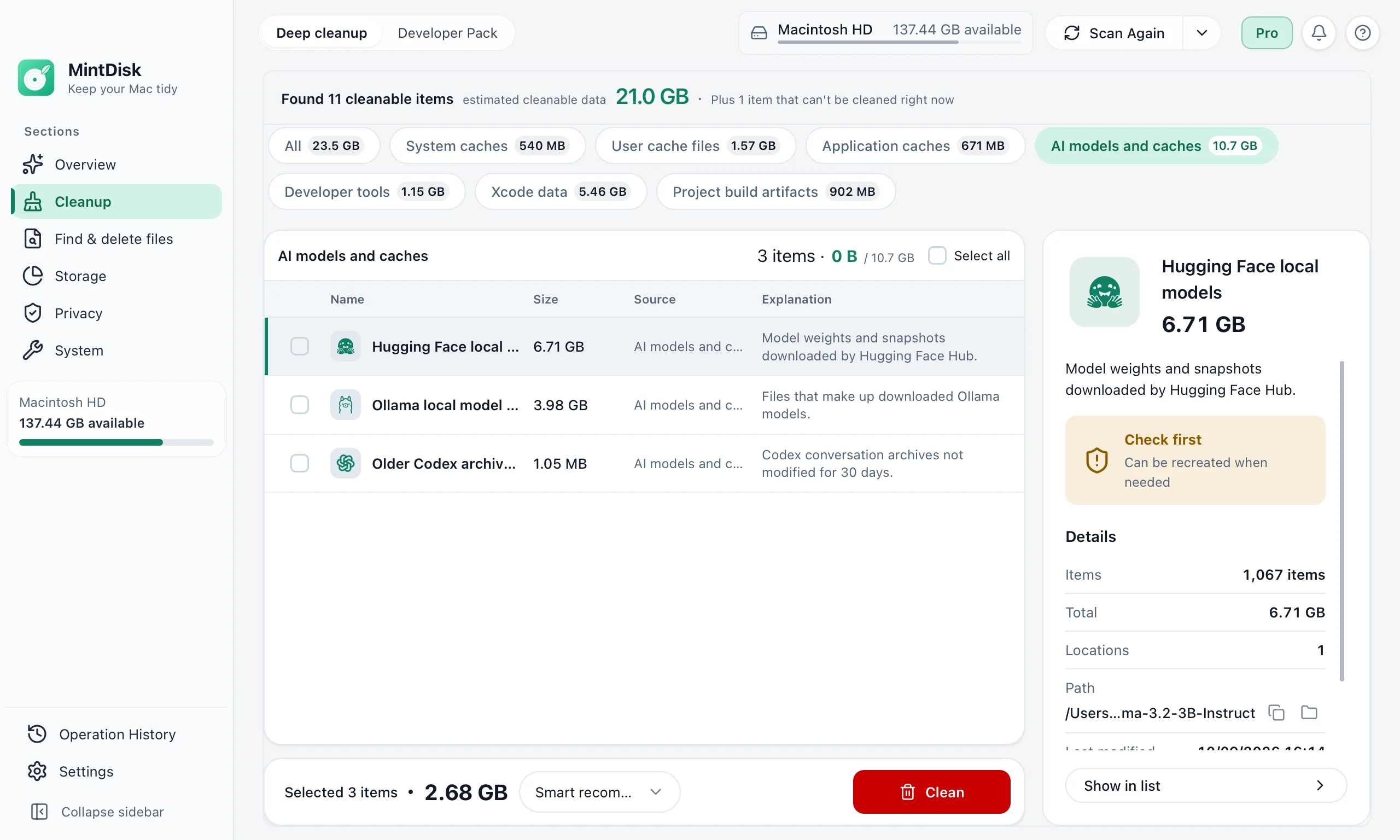
How Hugging Face cache cleanup works
- 1
Find the cache
MintDisk looks in HF_HUB_CACHE, then HF_HOME/hub, then ~/.cache/huggingface/hub.
- 2
Review models
Each model repository shows its size, counting shared files once, and when its snapshots were last used. Datasets and Spaces are not listed.
- 3
Remove
In Developer Pack, a model you remove goes to the Trash. Deep cleanup can also delete selected model repositories and the Xet download cache.
When it helps
Models from old experiments
Every model your code downloaded stays in the cache until you remove it.
Several versions of one model
New revisions are downloaded next to the old snapshots.
Download cache
Deep cleanup lists the Xet shard cache, any older chunk cache and its logs; the staging folder, which uploads use, is never touched.
Good to know
- Datasets and Spaces in the cache are not listed.
- Model repositories deleted in Deep cleanup are removed permanently; Developer Pack moves them to the Trash.
- A removed model is downloaded again the next time your code loads it.
Questions and answers
Where is the Hugging Face cache on a Mac?
By default in ~/.cache/huggingface/hub. If you set HF_HOME or HF_HUB_CACHE, MintDisk uses that location instead.
Is it safe to delete the Hugging Face cache?
For models you can download again, yes: they are fetched the next time they are loaded. Keep models you could not download again.
Does it remove datasets?
No. Only model repositories are listed.
Is Hugging Face cache cleanup free?
Scanning is free. Removing needs the free 7-day trial or a Pro license.
Keep exploring
Try it on your Mac
MintDisk runs on macOS 12 or later, on Apple silicon and Intel Macs. Start the 7-day trial in the app, no card needed.