Manage Ollama storage and local models
MintDisk lists the models in your Ollama library with their size and when you last used them, so you can remove the ones you no longer run.
Scanning is free. Cleaning and deleting are included in the free 7-day trial and in Pro.
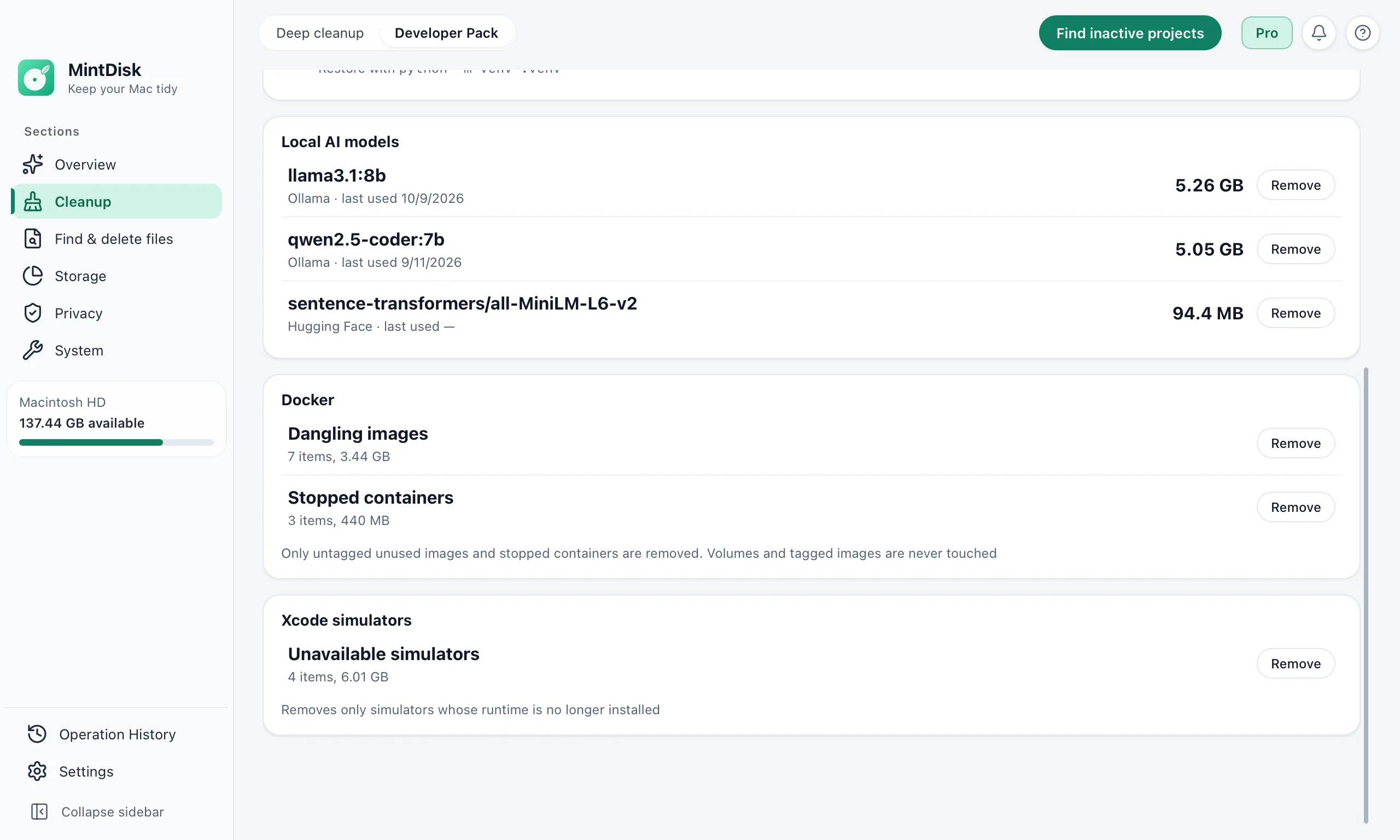
How Ollama disk space cleanup works
- 1
List models
Developer Pack reads the model manifests in ~/.ollama/models, or in OLLAMA_MODELS if you set it, and shows each model as name:tag.
- 2
Check size and last use
The size adds up the model's layers, and last use comes from the model files. Ollama does not need to be running.
- 3
Remove
MintDisk deletes the model's manifest and only the layers that no other model uses. Removal is permanent; ollama pull downloads a model again.
When it helps
Models you tried once
One 8B model takes several gigabytes, so trying a few adds up fast.
Several tags of one model
Different sizes and quantizations of a model are separate downloads.
The whole library at once
Deep cleanup can remove the entire Ollama model library while Ollama is not running, and lists Ollama's downloaded update files.
Good to know
- Removing a model is permanent. It does not go to the Trash; download it again with ollama pull.
- MintDisk reads Ollama's files directly and does not call the ollama command.
- Other local model tools, such as LM Studio, are covered by Deep cleanup rules, not by this list.
Questions and answers
Where does Ollama store models on a Mac?
In ~/.ollama/models by default, or in the folder set by OLLAMA_MODELS. MintDisk looks in both.
What happens to layers shared by two models?
They are kept. MintDisk deletes only the layers that no remaining model uses.
Can I get a model back?
Yes, with ollama pull, which downloads it again. MintDisk itself cannot restore it.
Is Ollama cleanup free?
Scanning is free. Removing needs the free 7-day trial or a Pro license.
Keep exploring
Try it on your Mac
MintDisk runs on macOS 12 or later, on Apple silicon and Intel Macs. Start the 7-day trial in the app, no card needed.